Free Mapping Software for Multiple Locations (2025 Guide)
How to Map Multiple Locations for Free: The True Cost of “Free” Solutions
Looking for a truly free way to map multiple locations on your website? While “free” options exist, they often come with hidden costs in time, functionality, and professionalism. This guide will show you the most common free method and its significant limitations, then introduce a more practical approach.
The “Free” Method: Using Google Maps Platform Free Tier
Google Maps offers a generous free tier ($200 monthly credit), but it requires technical setup and has strict usage limits. Exceed these limits, and you’ll face unexpected charges.
Step 1: The Complex Setup Process
1. Create a Google Cloud Account: You’ll need a Gmail account and must enable billing—yes, even for the “free” tier. You must provide a credit card.
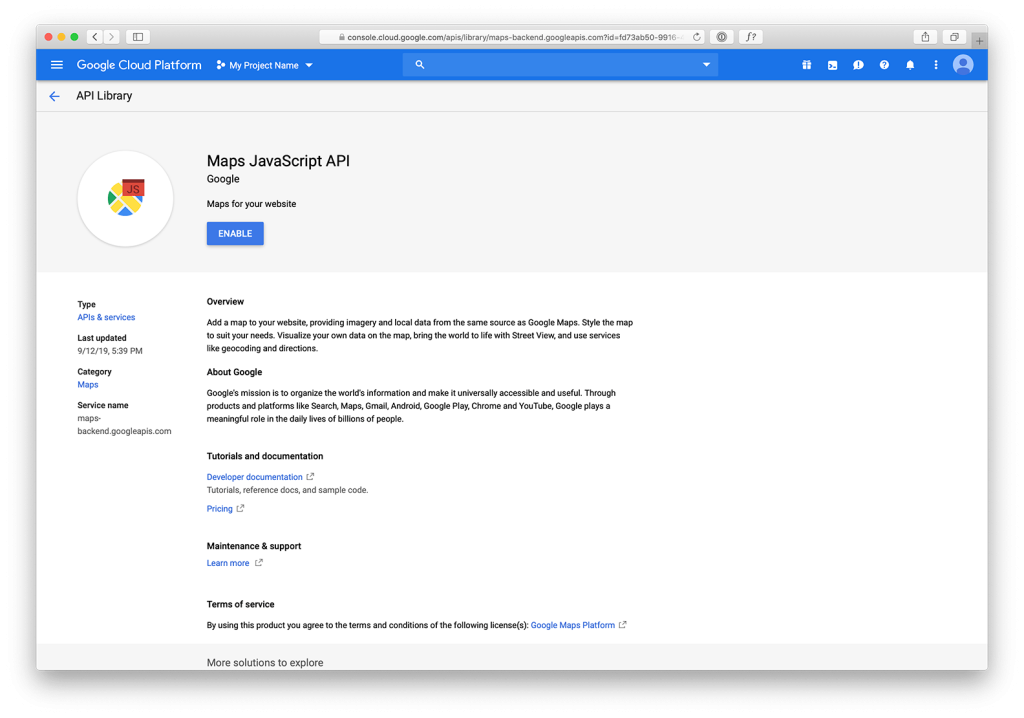
2. Create a Project & Enable APIs: Navigate to the Google Cloud Console, create a project, and enable the Maps JavaScript API and Geocoding API.
3. Create and Restrict an API Key: This is critical for security. If you don’t restrict it, anyone can use your key, leading to massive bills.
javascript
// Example of an UNRESTRICTED API key (DANGEROUS)
<script src="https://maps.googleapis.com/maps/api/js?key=AIzaSyYourUnrestrictedKeyHere"></script>
You MUST restrict it to your website domain and specific APIs
Code language: HTML, XML (xml)
Step 2: Building a Basic (But Limited) Map*
Here’s the minimal code to create a map with multiple markers using the free tier. You’ll need to manually code each location’s coordinates.
html
<!DOCTYPE html>
<html>
<head>
    <title>Free Multiple Location Map</title>
    <script src="https://maps.googleapis.com/maps/api/js?key=YOUR_RESTRICTED_API_KEY"></script>
    <style>
        #map { height: 400px; width: 100%; }
    </style>
</head>
<body>
    <div id="map"></div>

    <script>
        function initMap() {
            const map = new google.maps.Map(document.getElementById("map"), {
                zoom: 10,
                center: { lat: 40.7128, lng: -74.0060 } // NYC
            });

            // Manually adding each location - impractical for 50+ locations
            const locations = [
                { lat: 40.7128, lng: -74.0060, title: "Store 1" },
                { lat: 40.7589, lng: -73.9851, title: "Store 2" },
                { lat: 40.7489, lng: -73.9680, title: "Store 3" },
                // Adding 50 more locations means 50 more lines of code
            ];

            locations.forEach(location => {
                new google.maps.Marker({
                    position: { lat: location.lat, lng: location.lng },
                    map: map,
                    title: location.title
                });
            });
        }

        // Don't forget to call initMap
        google.maps.event.addDomListener(window, 'load', initMap);
    </script>
</body>
</html>
Code language: HTML, XML (xml)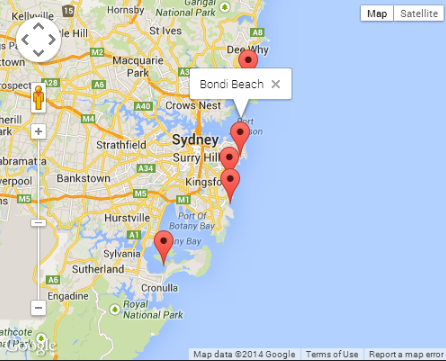
Step 3: The Critical Limitations You’ll Immediately Face
- 1. No Built-in Clustering: With just 50 markers, your map becomes unusable. You need to add extra, complex code for clustering.
javascript
// Adding clustering requires another library and 50+ extra lines of code
<script src="https://unpkg.com/@googlemaps/markerclusterer/dist/index.min.js"></script>
// Plus additional configuration code...
Code language: HTML, XML (xml)- 2. Geocoding Costs: Converting addresses to coordinates uses the Geocoding API. The free tier gives you only $0.005 per request. 1,000 addresses = $5.00 of your monthly credit.
- 3. No Admin Interface: Every time you need to add a new location, you must edit the code and redeploy your website.
- 4. Limited Styling: Customizing the map’s appearance requires extra code and still looks generic.
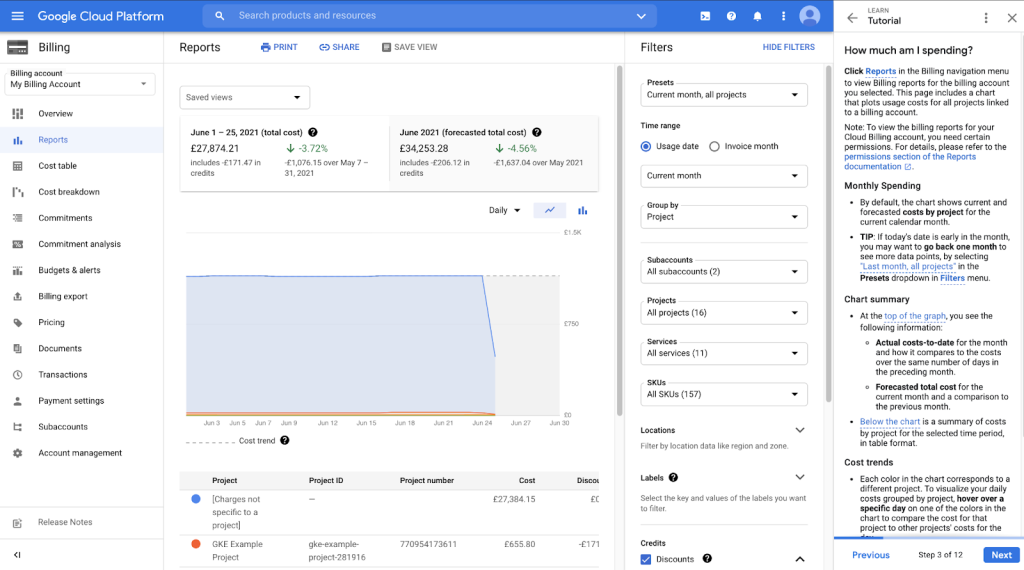
- 5. Usage Tracking: You must constantly monitor your usage dashboard to avoid surprise charges if your website becomes popular.
The True Cost of “Free”
While technically free for low usage, this solution costs you:
- – Hours of development time to set up and maintain
- – Ongoing technical monitoring to prevent overages
- – Limited functionality without significant additional coding
- – Professional appearance that looks like a developer’s test project
For a business, these “hidden costs” often exceed the price of a dedicated solution.
A Better Approach: Affordable Professional Mapping*
What if you could get a robust mapping solution without the technical debt, for a predictable, low cost — often less than the value of your development time?
MapsFun.com offers a completely free starter plan that’s actually designed for public-facing maps, not just experimentation.
What you get with a truly usable free solution:
- 1. No Code Required: Upload a CSV or use a simple editor to add locations—no API keys, no billing setup, no coding.
- 2. Professional Features Included for Free:
- Automatic Clustering: Handles hundreds of locations seamlessly
- Built-in Geocoding: Convert addresses automatically without per-request fees
- Custom Styling: Match your brand without writing CSS
- Mobile-Responsive Design: Works perfectly on all devices
- 3. Easy Management: Add, edit, or remove locations through a clean dashboard—no code changes needed.
- 4. Truly Free Starter Tier: Create and embed maps without time limits or hidden usage quotas. Upgrade only when you need advanced features or higher traffic volumes.
Stop risking unexpected bills and wasting development time. For mapping multiple locations, the truly efficient choice isn’t the technically “free” option that costs you hours — it’s the purpose-built solution that’s free to start and designed to grow with your needs. MapsFun.com lets you create professional, embeddable maps in minutes, not days, with no technical setup required.