How to Create Google Maps with Several Locations
Google Maps With Several Locations: How to Create a Professional Multi-Point Map for Your Website
Need to display multiple business locations, event venues, or project sites on Google Maps? While embedding a single location is straightforward, creating a custom map with several locations requires technical implementation. This guide will walk you through building an interactive, filterable multi-location map using the Google Maps Platform.
Method: Building a Filterable Multi-Location Map with Custom Controls
This solution creates a professional business location finder with category filters—ideal for companies with multiple store types or service areas.
Step 1: API Setup & Data Structure
First, you need to enable the Google Maps JavaScript API in Google Cloud Console and create an API key with proper restrictions. This requires a Google Cloud account with billing enabled.
Now, structure your location data with categories for filtering:
javascript
// locations.js - Save this as a separate file
const businessLocations = [
    {
        id: 1,
        name: "Downtown Café",
        address: "123 Main St, New York, NY",
        position: { lat: 40.7128, lng: -74.0060 },
        category: "cafe",
        hours: "7AM-8PM",
        phone: "(555) 123-4567",
        features: ["WiFi", "Outdoor Seating", "Takeout"]
    },
    {
        id: 2,
        name: "Uptown Restaurant",
        address: "456 Park Ave, New York, NY",
        position: { lat: 40.7794, lng: -73.9632 },
        category: "restaurant",
        hours: "11AM-11PM",
        phone: "(555) 987-6543",
        features: ["Fine Dining", "Reservations", "Bar"]
    },
    {
        id: 3,
        name: "West Side Coffee Shop",
        address: "789 Broadway, New York, NY",
        position: { lat: 40.7336, lng: -74.0000 },
        category: "cafe",
        hours: "6AM-7PM",
        phone: "(555) 456-7890",
        features: ["WiFi", "Coffee Roasting", "Pastries"]
    },
    {
        id: 4,
        name: "Central Bakery",
        address: "321 5th Ave, New York, NY",
        position: { lat: 40.7489, lng: -73.9850 },
        category: "bakery",
        hours: "8AM-6PM",
        phone: "(555) 234-5678",
        features: ["Fresh Bread", "Catering", "Gluten-Free"]
    }
];Code language: JavaScript (javascript)
Structured location data with categories, hours, and features for filtering
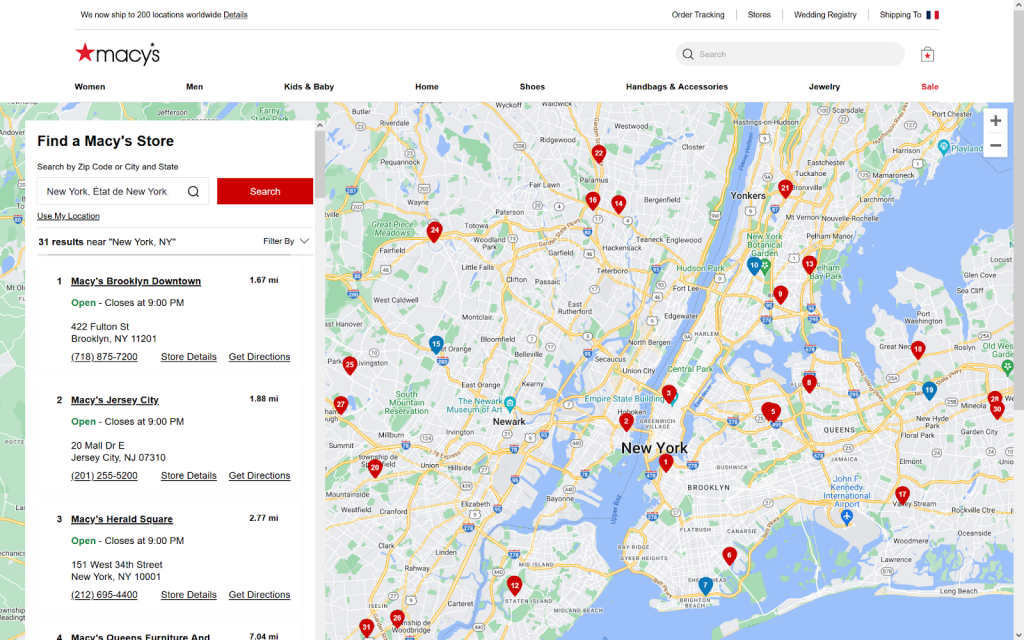
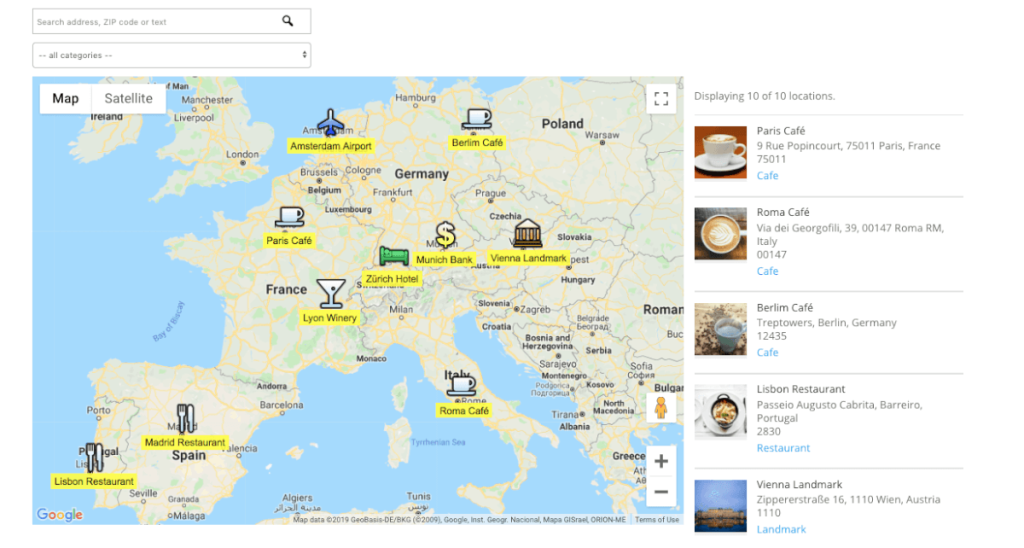
Step 2: Create the Interactive Map Interface
This HTML file creates a complete location finder with category filters and detailed info windows:
html
<!DOCTYPE html>
<html lang="en">
<head>
    <meta charset="UTF-8">
    <meta name="viewport" content="width=device-width, initial-scale=1.0">
    <title>Business Locations Map</title>
    <style>
        * {
            box-sizing: border-box;
            margin: 0;
            padding: 0;
        }

        body {
            font-family: -apple-system, BlinkMacSystemFont, 'Segoe UI', Roboto, Oxygen, Ubuntu, sans-serif;
            line-height: 1.6;
            color: #333;
        }

        .container {
            max-width: 1400px;
            margin: 0 auto;
            padding: 20px;
        }

        header {
            text-align: center;
            margin-bottom: 30px;
            padding-bottom: 20px;
            border-bottom: 1px solid #eee;
        }

        h1 {
            color: #1a73e8;
            margin-bottom: 10px;
        }

        .subtitle {
            color: #666;
            font-size: 1.1rem;
        }

        .app-layout {
            display: flex;
            flex-direction: column;
            gap: 20px;
        }

        @media (min-width: 992px) {
            .app-layout {
                flex-direction: row;
            }
        }

        .sidebar {
            flex: 1;
            background: #f8f9fa;
            border-radius: 12px;
            padding: 25px;
            box-shadow: 0 2px 10px rgba(0,0,0,0.05);
        }

        .map-container {
            flex: 2;
            border-radius: 12px;
            overflow: hidden;
            box-shadow: 0 4px 20px rgba(0,0,0,0.1);
        }

        #map {
            height: 600px;
            width: 100%;
        }

        .filter-section {
            margin-bottom: 25px;
        }

        .filter-title {
            font-weight: 600;
            margin-bottom: 15px;
            color: #444;
            font-size: 1.1rem;
        }

        .filter-buttons {
            display: flex;
            flex-wrap: wrap;
            gap: 10px;
        }

        .filter-btn {
            padding: 8px 16px;
            background: white;
            border: 2px solid #ddd;
            border-radius: 20px;
            cursor: pointer;
            font-weight: 500;
            transition: all 0.2s ease;
        }

        .filter-btn:hover {
            border-color: #1a73e8;
            color: #1a73e8;
        }

        .filter-btn.active {
            background: #1a73e8;
            color: white;
            border-color: #1a73e8;
        }

        .locations-list {
            max-height: 400px;
            overflow-y: auto;
        }

        .location-card {
            background: white;
            padding: 15px;
            margin-bottom: 15px;
            border-radius: 8px;
            border-left: 4px solid #1a73e8;
            cursor: pointer;
            transition: transform 0.2s ease;
        }

        .location-card:hover {
            transform: translateX(5px);
            box-shadow: 0 4px 12px rgba(0,0,0,0.1);
        }

        .location-name {
            font-weight: 600;
            color: #1a73e8;
            margin-bottom: 5px;
        }

        .location-category {
            display: inline-block;
            padding: 3px 10px;
            background: #e8f0fe;
            color: #1a73e8;
            border-radius: 12px;
            font-size: 0.8rem;
            margin-bottom: 10px;
        }

        .info-window-content {
            padding: 10px;
            max-width: 250px;
        }

        .info-title {
            font-weight: 600;
            color: #1a73e8;
            margin-bottom: 5px;
            font-size: 1.1rem;
        }

        .info-features {
            margin-top: 10px;
            font-size: 0.9rem;
        }

        .feature-tag {
            display: inline-block;
            background: #f1f3f4;
            padding: 3px 8px;
            border-radius: 10px;
            margin: 2px;
            font-size: 0.8rem;
        }

        .no-results {
            text-align: center;
            padding: 20px;
            color: #666;
        }
    </style>
</head>
<body>
    <div class="container">
        <header>
            <h1>Find Our Locations</h1>
            <p class="subtitle">Browse all our stores and filter by category</p>
        </header>

        <div class="app-layout">
            <div class="sidebar">
                <div class="filter-section">
                    <div class="filter-title">Filter by Category</div>
                    <div class="filter-buttons" id="category-filters">
                        <button class="filter-btn active" data-category="all">All Locations</button>
                        <button class="filter-btn" data-category="cafe">Cafés</button>
                        <button class="filter-btn" data-category="restaurant">Restaurants</button>
                        <button class="filter-btn" data-category="bakery">Bakeries</button>
                    </div>
                </div>

                <div class="filter-section">
                    <div class="filter-title">Features</div>
                    <div class="filter-buttons" id="feature-filters">
                        <button class="filter-btn" data-feature="WiFi">WiFi</button>
                        <button class="filter-btn" data-feature="Outdoor Seating">Outdoor</button>
                        <button class="filter-btn" data-feature="Takeout">Takeout</button>
                        <button class="filter-btn" data-feature="Reservations">Reservations</button>
                    </div>
                </div>

                <div class="locations-list" id="locations-list">
                    <!-- Dynamic content will be loaded here -->
                </div>
            </div>

            <div class="map-container">
                <div id="map"></div>
            </div>
        </div>
    </div>

    <!-- Include Google Maps with your API Key -->
    <script src="https://maps.googleapis.com/maps/api/js?key=YOUR_API_KEY_HERE&callback=initMap" async defer></script>

    <!-- Include the locations data -->
    <script src="locations.js"></script>

    <script>
        let map;
        let markers = [];
        let activeCategory = 'all';
        let activeFeatures = [];

        function initMap() {
            // Initialize the map
            map = new google.maps.Map(document.getElementById('map'), {
                zoom: 12,
                center: { lat: 40.7128, lng: -74.0060 }, // NYC
                styles: [
                    {
                        featureType: 'poi.business',
                        stylers: [{ visibility: 'off' }]
                    }
                ]
            });

            // Load all locations initially
            loadLocations();
            setupEventListeners();
        }

        function loadLocations() {
            // Clear existing markers
            markers.forEach(marker => marker.setMap(null));
            markers = [];

            // Filter locations based on active filters
            const filteredLocations = businessLocations.filter(location => {
                // Category filter
                if (activeCategory !== 'all' && location.category !== activeCategory) {
                    return false;
                }

                // Feature filters
                if (activeFeatures.length > 0) {
                    const hasAllFeatures = activeFeatures.every(feature =>
                        location.features.includes(feature)
                    );
                    if (!hasAllFeatures) return false;
                }

                return true;
            });

            // Display in list
            displayLocationList(filteredLocations);

            // Add markers to map
            filteredLocations.forEach(location => {
                const marker = new google.maps.Marker({
                    position: location.position,
                    map: map,
                    title: location.name,
                    icon: getMarkerIcon(location.category)
                });

                // Create info window
                const infoWindow = new google.maps.InfoWindow({
                    content: createInfoWindowContent(location)
                });

                marker.addListener('click', () => {
                    infoWindow.open(map, marker);
                });

                // Add click listener to list item
                const listItem = document.querySelector(`[data-location-id="${location.id}"]`);
                if (listItem) {
                    listItem.addEventListener('click', () => {
                        map.setZoom(16);
                        map.setCenter(marker.getPosition());
                        infoWindow.open(map, marker);
                    });
                }

                markers.push(marker);
            });

            // Adjust map bounds if markers exist
            if (filteredLocations.length > 0) {
                const bounds = new google.maps.LatLngBounds();
                filteredLocations.forEach(location => {
                    bounds.extend(location.position);
                });
                map.fitBounds(bounds, { padding: 50 });
            }
        }

        function getMarkerIcon(category) {
            // Custom icons for different categories
            const icons = {
                cafe: {
                    url: 'https://maps.google.com/mapfiles/ms/icons/blue-dot.png'
                },
                restaurant: {
                    url: 'https://maps.google.com/mapfiles/ms/icons/red-dot.png'
                },
                bakery: {
                    url: 'https://maps.google.com/mapfiles/ms/icons/green-dot.png'
                }
            };

            return icons[category] || icons.cafe;
        }

        function createInfoWindowContent(location) {
            return `
                <div class="info-window-content">
                    <div class="info-title">${location.name}</div>
                    <div><strong>Address:</strong> ${location.address}</div>
                    <div><strong>Hours:</strong> ${location.hours}</div>
                    <div><strong>Phone:</strong> ${location.phone}</div>
                    <div class="info-features">
                        ${location.features.map(feature =>
                            `<span class="feature-tag">${feature}</span>`
                        ).join('')}
                    </div>
                </div>
            `;
        }

        function displayLocationList(locations) {
            const container = document.getElementById('locations-list');

            if (locations.length === 0) {
                container.innerHTML = '<div class="no-results">No locations match your filters</div>';
                return;
            }

            container.innerHTML = locations.map(location => `
                <div class="location-card" data-location-id="${location.id}">
                    <div class="location-name">${location.name}</div>
                    <div class="location-category">${location.category.toUpperCase()}</div>
                    <div><strong>Address:</strong> ${location.address}</div>
                    <div><strong>Hours:</strong> ${location.hours}</div>
                    <div><strong>Phone:</strong> ${location.phone}</div>
                    <div class="info-features" style="margin-top: 8px;">
                        ${location.features.map(feature =>
                            `<span class="feature-tag">${feature}</span>`
                        ).join('')}
                    </div>
                </div>
            `).join('');
        }

        function setupEventListeners() {
            // Category filter buttons
            document.querySelectorAll('#category-filters .filter-btn').forEach(btn => {
                btn.addEventListener('click', () => {
                    document.querySelectorAll('#category-filters .filter-btn').forEach(b => {
                        b.classList.remove('active');
                    });
                    btn.classList.add('active');
                    activeCategory = btn.dataset.category;
                    loadLocations();
                });
            });

            // Feature filter buttons
            document.querySelectorAll('#feature-filters .filter-btn').forEach(btn => {
                btn.addEventListener('click', () => {
                    btn.classList.toggle('active');
                    const feature = btn.dataset.feature;

                    if (btn.classList.contains('active')) {
                        activeFeatures.push(feature);
                    } else {
                        activeFeatures = activeFeatures.filter(f => f !== feature);
                    }

                    loadLocations();
                });
            });
        }
    </script>
</body>
</html>
Code language: HTML, XML (xml)
Professional multi-location finder with category filters, detailed cards, and custom map markers.
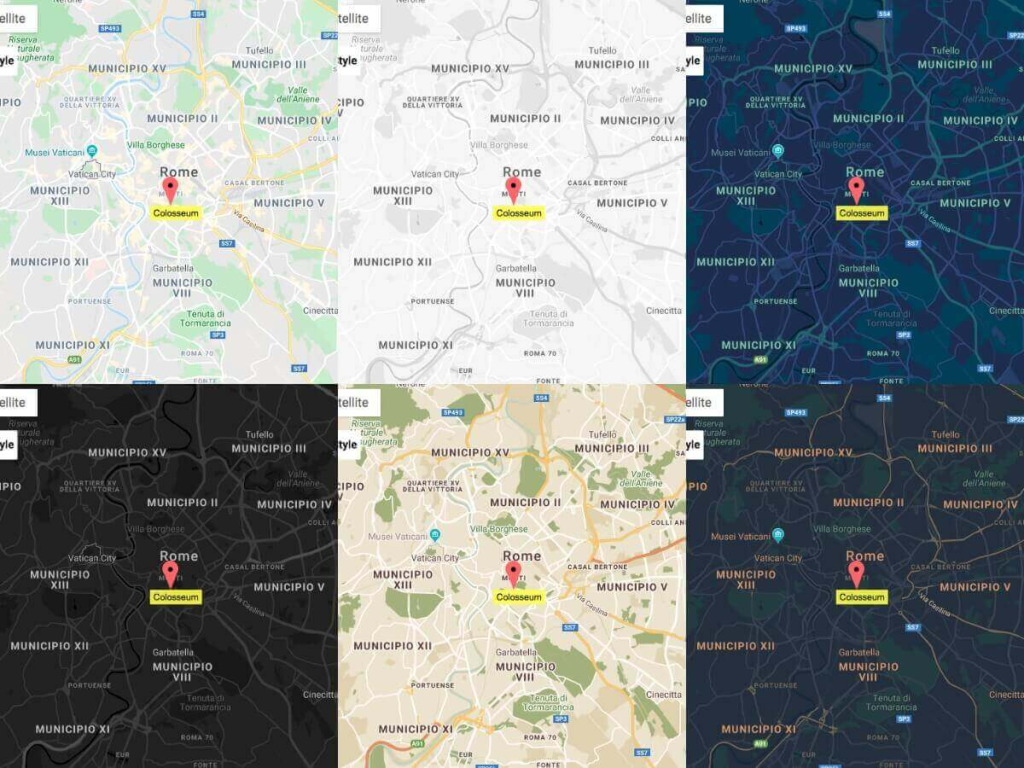
Step 3: Challenges You’ll Face
Despite creating a polished map, you’ll encounter several ongoing challenges:
- 1. API Management: Google Maps Platform requires constant key monitoring, quota management, and cost control
- 2. Data Synchronization: Every location change requires code deployment
- 3. Mobile Responsiveness: Ensuring filters work perfectly on all devices adds complexity
- 4. Performance Issues: Loading many markers can slow down your website
- 5. Maintenance Burden: Google regularly updates their APIs, requiring code updates
Create Multi-Location Maps in Minutes, Not Weeks
What if you could have this same professional, filterable multi-location map without any coding, API management, or technical headaches?
MapsFun.com provides all the functionality of the complex solution above, plus more:
- 1. Visual Map Editor: Add and edit locations directly on the map—no code changes needed
- 2. Smart Filtering: Create category filters with point-and-click interface
- 3. Automatic Updates: Change hours, phone numbers, or add new locations instantly
- 4. No API Limits: Handle hundreds of locations without performance issues
- 5. Built-in Analytics: See how visitors interact with your map
Stop spending weeks building and maintaining custom map solutions. Create a better multi-location Google Map in minutes—visit MapsFun.com to get started for free.