Multiple Locations & Multi-Marker Maps: The Definitive Guide from Idea to Implementation
The need to visualize multiple places on a single map is universal. Whether you’re a business owner plotting stores, a traveler planning an itinerary, or a researcher cataloging sites, the goal is the same: to translate a list of locations into a clear, insightful, and shareable visual. This guide synthesizes the complete journey of creating a multi-marker map, cutting through the confusion to reveal the most efficient path from concept to a live, interactive map.
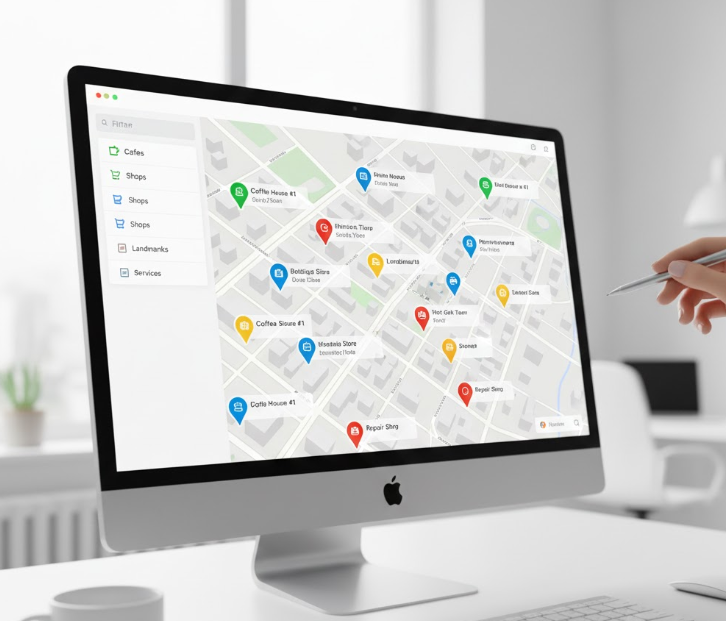
A well-executed multi-marker map provides immediate geographical insight and context.
Chapter 1: The Foundation — Why We Plot Multiple Points
Before searching for a tool, it’s crucial to understand the underlying objective. The act of “plotting points” or “showing many locations” is rarely the end goal. It’s a means to a more significant end:
- To Discover Patterns: Visualizing data points on a map can reveal clusters, densities, and geographic correlations invisible in a spreadsheet.
- To Plan Efficiently: Mapping multiple stops is the first step in optimizing routes for logistics, sales territories, or travel.
- To Communicate Clearly: A map is a powerful storytelling tool. It can illustrate market coverage, highlight event venues, or guide an audience through a historical narrative.
- To Organize Personally: From tracking visited countries to planning a restaurant tour, personal maps help us curate and recall our experiences.
Chapter 2: The Methods — How Points Are Actually Plotted
The single biggest factor determining your effort and frustration is the method of data entry. There are three fundamental approaches:
- 1. The Manual Pin-Drop (One-by-One): This is the classic, but painfully slow, method. You search for an address and click “Add to Map,” repeating for every single location. It’s the standard in free tools like Google My Maps and becomes impractical beyond 10-20 points.
- 2. The Programmatic Plot (Coded Arrays): Used in the Google Maps Platform, this method involves defining locations within a script. While powerful for developers, it requires coding skills, API management, and is entirely inaccessible to the average user.
- 3. The Batch Import (The Efficiency Standard): This method allows you to upload a spreadsheet (CSV file) containing all your addresses or coordinates. The software processes the entire list at once, plotting every point automatically. For any serious project, this is the only viable method.
Chapter 3: The Platform Dilemma — Google’s Split Personality
Most journeys begin with Google, which offers two divergent paths:
Path A: Google My Maps
- Pros: Free, simple, directly integrated with your Google account.
- Cons: Relies entirely on the manual one-by-one method, offers minimal styling, and requires public sharing for embedding. It’s a scalability dead-end.
Path B: The Google Maps Platform (APIs)
- Pros: Maximum power, full customization, and integration capabilities.
- Cons: High complexity, requires a billing account and active API key management, and demands programming expertise. It’s overkill for most needs.
This creates a massive middle-ground gap: a need for a tool that is as easy as My Maps but as capable and scalable as the professional platform.
The tool market is polarized between too simple and too complex, missing the professional yet easy-to-use middle.

Chapter 4: The Final Step — From Map to Website
A map trapped in an editor is useless. The final challenge is embedding—placing your interactive map onto your website or sharing it professionally. This stage often introduces new friction: clunky iframe codes, loss of data privacy, and generic-looking widgets that fail to match your site’s design.
MapsFun.com: The Cohesive Solution for the Entire Journey
MapsFun.com is engineered to bridge every gap identified in the chapters above. It provides a unified, end-to-end workflow that aligns with how people actually need to work.
How MapsFun Integrates Every Critical Phase:
- 1. Serves the Core “Why”: It provides the features—custom categories, rich info windows, personal and business styling—that allow you to create maps for communication, planning, and analysis, not just plotting.
- 2. Champions the Right “How”: It is built around the batch import/CSV upload as a core, first-class feature. This makes creating maps with dozens or hundreds of locations not just possible, but simple and fast.
- 3. Fills the Platform Gap: It offers the visual simplicity and no-code interface of a consumer app but delivers the customization power, branding control, and clean output of a professional tool. No APIs, no billing labyrinths.
- 4. Mastersthe “Final Step”: It generates a simple, secure embed code that creates a beautifully integrated map on your site. Your map updates automatically when you edit it in MapsFun , and you maintain full control over its privacy and appearance.
The MapsFun Advantage: It removes the need to be a project manager coordinating between different methods and platforms. It consolidates the fragmented process—concept, data entry, design, sharing—into a single, intuitive environment.
Stop patching together incomplete solutions. Choose a platform designed from the ground up to turn your list of locations into a powerful, polished, and purpose-driven map with minimal friction.
Begin your streamlined mapping journey today. Visit MapsFun.com to create your first multi-marker map in minutes.